SyncNos writes through the Obsidian Local REST API plugin.
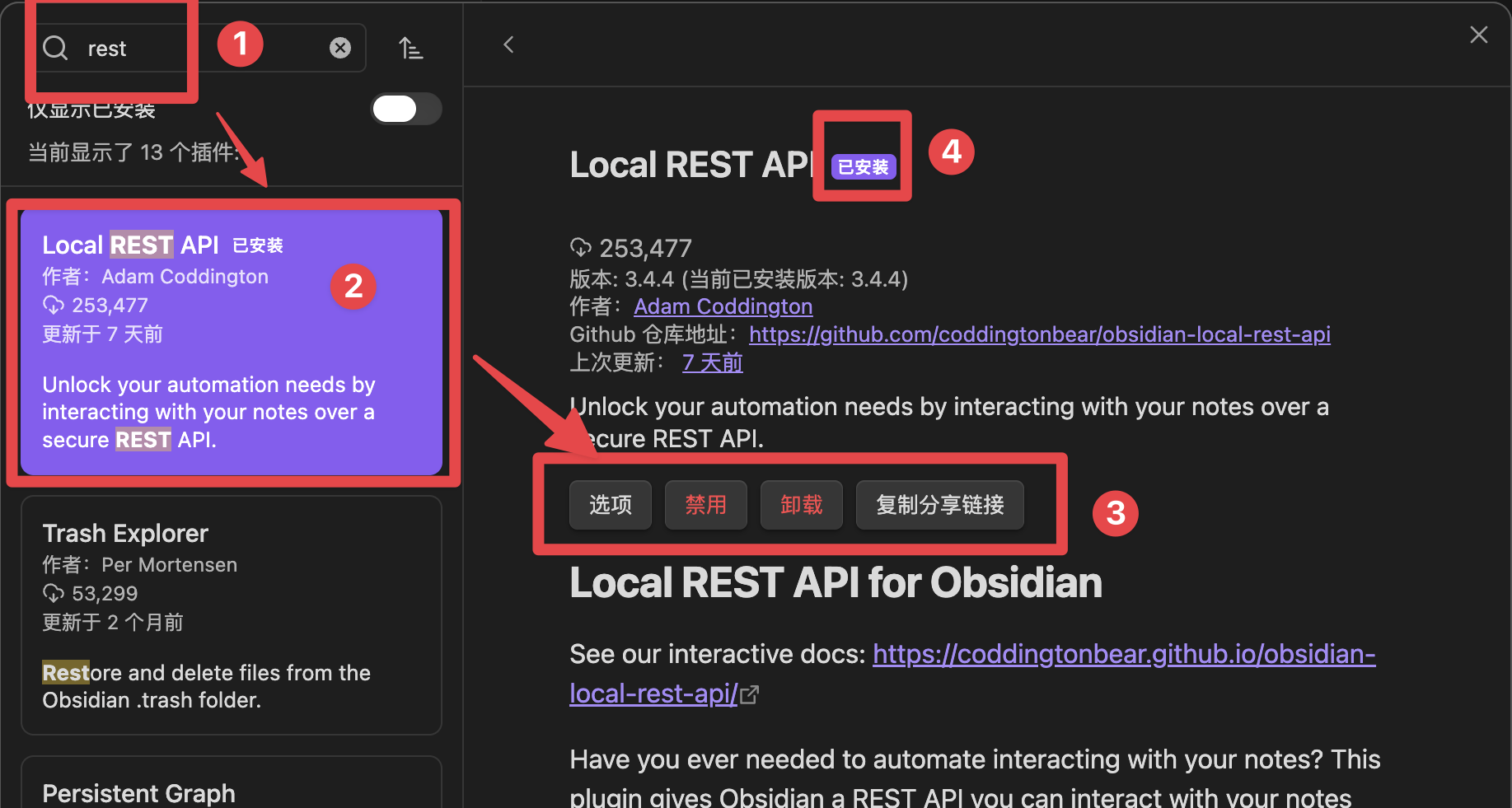
1. Install the plugin
In Obsidian Desktop, install and enable Local REST API under Settings → Community plugins.
2. Enable local HTTP
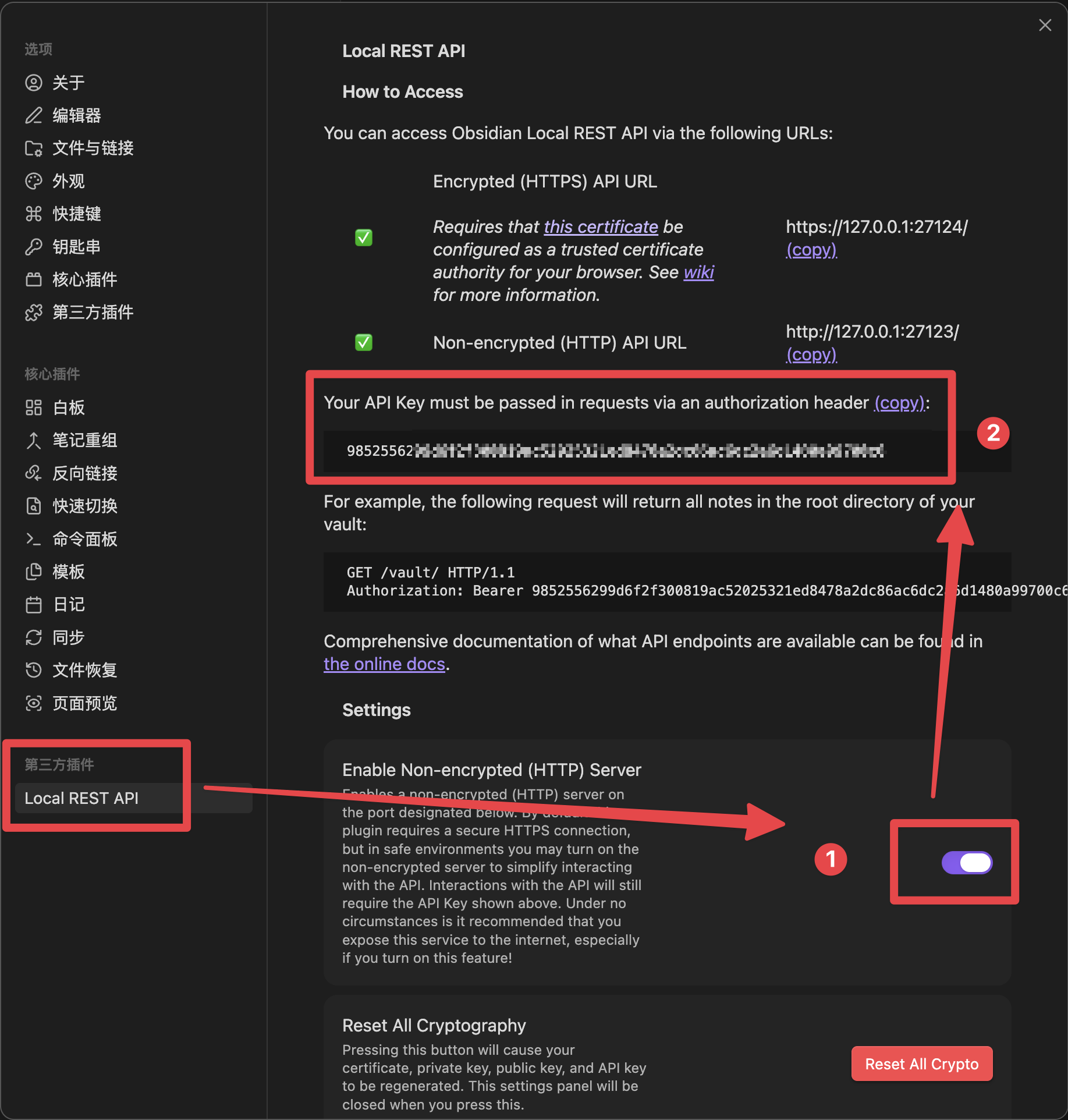
Enable Non-encrypted / Insecure HTTP server in the plugin settings. The default address is:
http://127.0.0.1:27123
Keep the address on 127.0.0.1 or localhost; do not expose it to your LAN.
3. Connect SyncNos
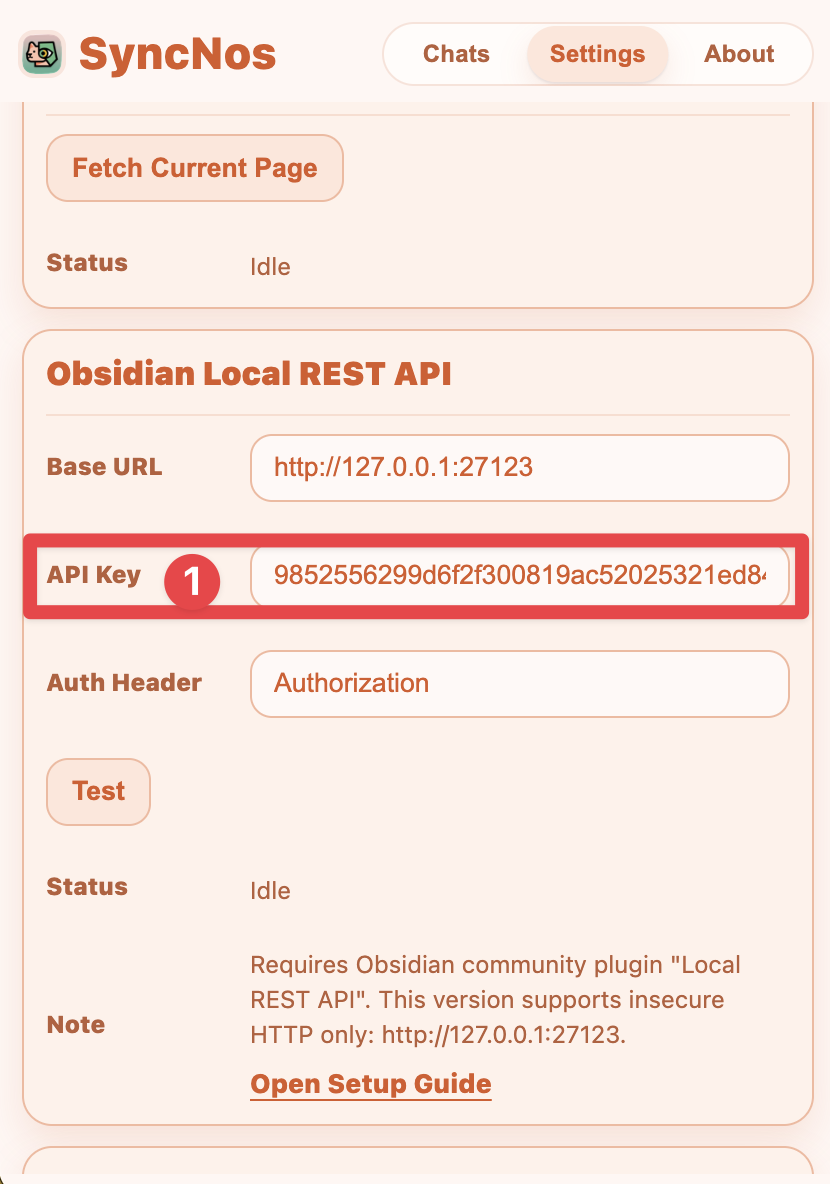
Copy the plugin API Key, then open SyncNos → Settings → Obsidian:
- Base URL: usually keep the default
- API Key: paste the key
- Auth Header: keep
Authorization
Click Test. Once it succeeds, use manual sync or enable auto-sync.
Troubleshoot
Failed to fetch: confirm Obsidian, the plugin, and local HTTP are running.401/403: copy the API key again and confirm the Auth Header.