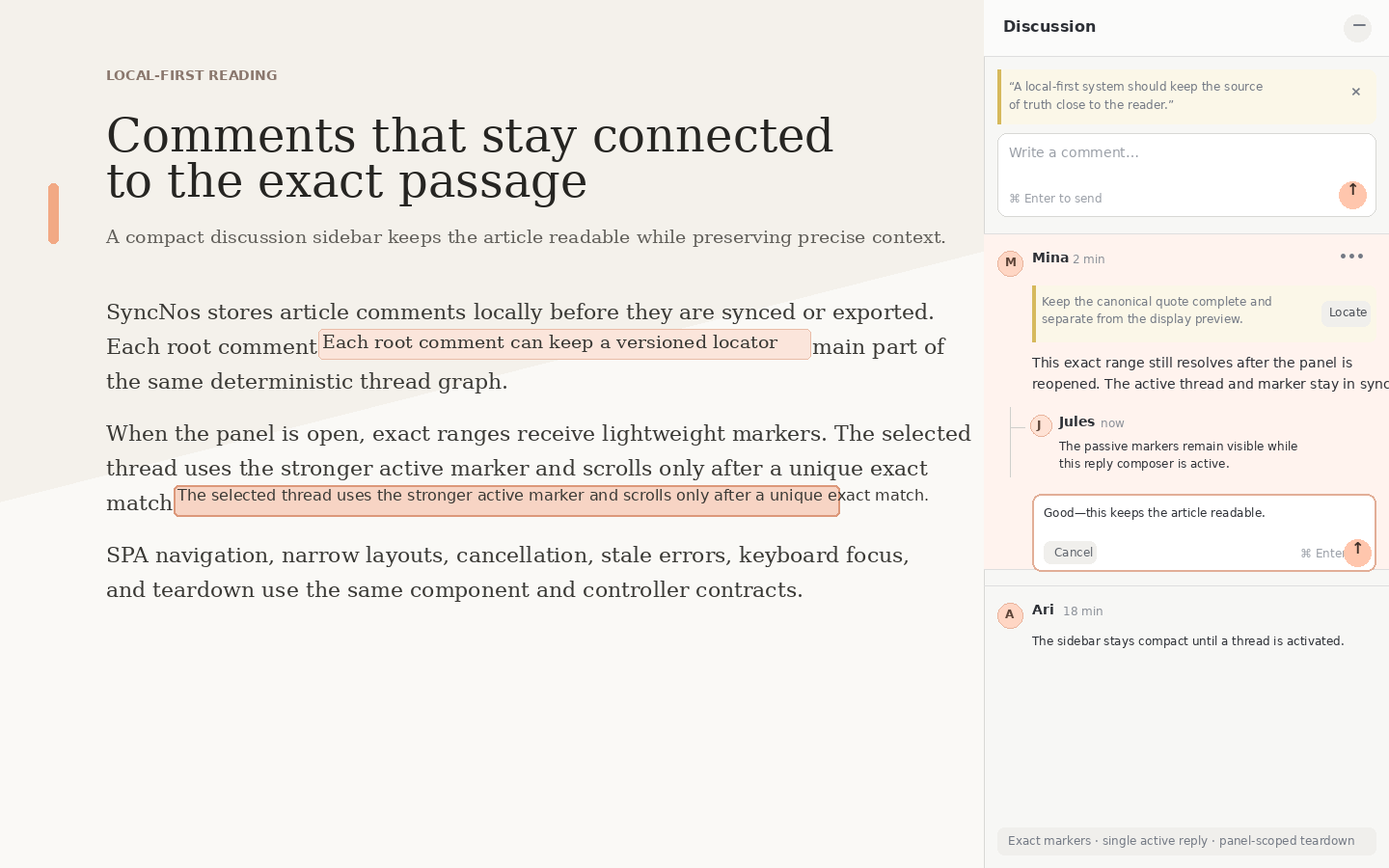
This feature is for web articles. AI conversations and videos do not expose the comments sidebar.

Open the comments sidebar
Open a saved web article and choose Comments in the upper-right detail actions.
On supported current article pages, you can also open the in-page comments sidebar without first switching to the SyncNos app.
Save a highlight
Select text in the article and attach that selection as the first content item in the current comment thread.
A quote is an independent content item with its own author, timestamp, and locator. If you only want a highlight, save the quote without comment text. Long or multi-line selections keep the full source quote; the sidebar may shorten only the visual preview. SyncNos only stores highlights that can be anchored reliably to the source text instead of guessing with fuzzy positions.
Comments and replies
The first item in a thread can be either a quote or a comment without a quote. The second and later comments are shown at the same visual level and belong directly to that first item.
If you save a quote and comment text together, SyncNos stores them as two independent items. This is the same structure as saving the quote first and commenting later. Each item has its own id: deleting a later comment removes only that item, while deleting the first item deletes the entire thread.
Later comments require text; Ctrl/⌘ + Enter submits them.
Comments and highlights are stored locally and are included in SyncNos backups.